
Symbols: The Hidden Gems of JavaScript
Unlock the hidden power of JavaScript Symbols and discover how they improve code reliability, prevent conflicts, and power React's internals.

JavaScript is full of surprises, and one of its lesser-known but powerful features is the Symbol data type. Introduced in ES6 (ECMAScript 2015), Symbols provide a way to create unique, immutable identifiers, making them particularly useful for avoiding naming collisions in object properties. In this post, we will explore what Symbols are, how they work, and practical use cases to enhance your JavaScript skills.
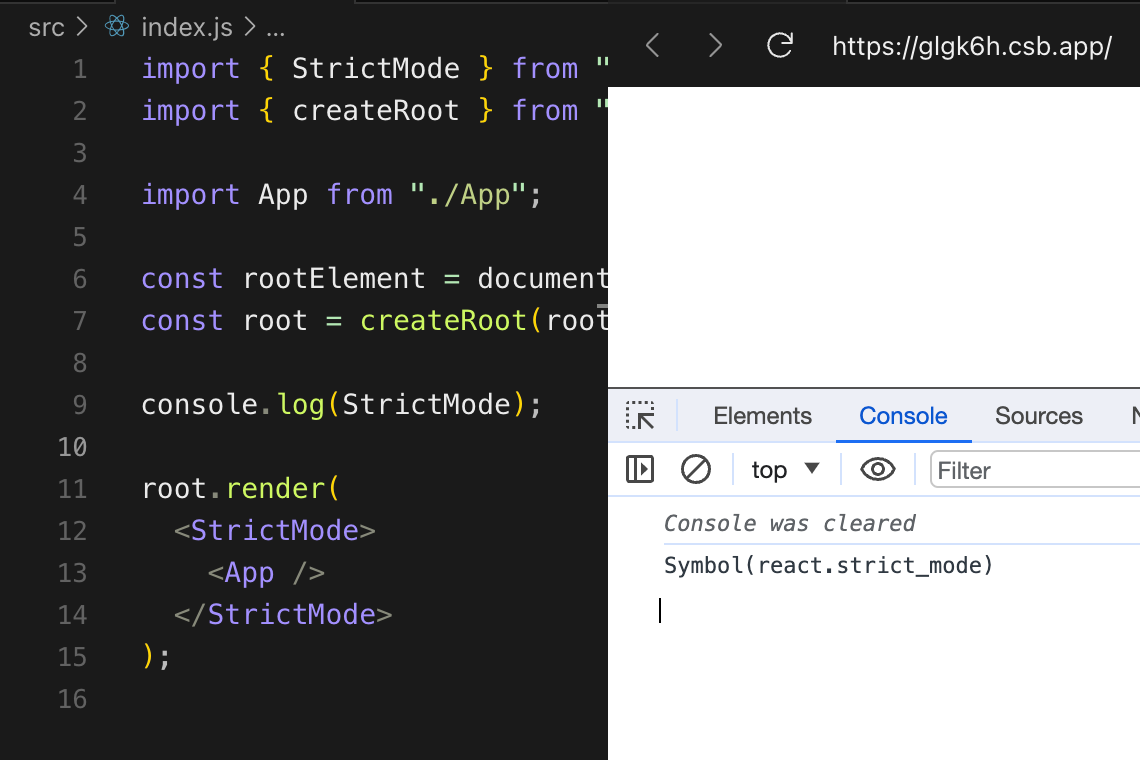
What is a Symbol in JavaScript?
A Symbol is a primitive data type that represents a unique identifier. Unlike strings, every Symbol is guaranteed to be unique, even if they share the same description.
Syntax:
const mySymbol = Symbol();
console.log(mySymbol); // Symbol()
You can also add an optional description to a Symbol:
const symWithDesc = Symbol('uniqueIdentifier');
console.log(symWithDesc); // Symbol(uniqueIdentifier)
Despite having the same description, each Symbol is unique:
console.log(Symbol('id') === Symbol('id')); // falseWhy Use Symbols?
1. Avoiding Property Name Collisions
Symbols are often used as object properties to ensure that they do not accidentally override existing properties.
const user = {
  name: "Advanced Web Dev",
  age: 26
};

const id = Symbol('id');
user[id] = 12345;
console.log(user);
// { name: 'Advanced Web Dev', age: 26, [Symbol(id)]: 12345 }
Since Symbols are unique, no other code can accidentally overwrite user[id] unless it explicitly uses the same Symbol reference.
2. Using Symbols in Object Keys
Symbols can act as keys in objects without interfering with other properties.
const key1 = Symbol("key");
const key2 = Symbol("key");

const obj = {
  [key1]: "value1",
  [key2]: "value2"
};

console.log(obj[key1]); // 'value1'
console.log(obj[key2]); // 'value2'
Here, key1 and key2 are different, even though they have the same description.
3. Symbols in Iterations and Reflection
By default, Symbols are not enumerable, meaning they do not appear in for...in loops or Object.keys() calls.
const obj = {
  name: "Sandeep",
  [Symbol("secret")]: "Hidden Data"
};

console.log(Object.keys(obj)); // [ 'name' ]
console.log(Object.getOwnPropertyNames(obj)); // [ 'name' ]
console.log(Object.getOwnPropertySymbols(obj)); // [ Symbol(secret) ]
You can retrieve Symbols using Object.getOwnPropertySymbols().
4. Well-Known Symbols
JavaScript provides built-in Symbols known as well-known Symbols that help modify object behavior.
Example: Symbol.iterator
const myArray = [1, 2, 3];
const iterator = myArray[Symbol.iterator]();

console.log(iterator.next()); // { value: 1, done: false }
console.log(iterator.next()); // { value: 2, done: false }
console.log(iterator.next()); // { value: 3, done: false }
console.log(iterator.next()); // { value: undefined, done: true }
Some other well-known Symbols include:
Symbol.toStringTag(customizesObject.prototype.toStringoutput)Symbol.toPrimitive(defines primitive conversion behavior)Symbol.hasInstance(customizesinstanceofchecks)
How React Uses Symbols Internally
React also uses Symbols internally for various key functionalities. This helps with debugging, performance optimizations, and ensuring uniqueness in elements and components.
1. React Element Type (Symbol(react.element))
Every JSX element in React is actually an object with a special type property that helps React differentiate between normal objects and React elements.
const element = <div>Hello, React!</div>;
console.log(element.$$typeof); // Symbol(react.element)
2. React Fragment (Symbol(react.fragment))
React uses Symbols for Fragments to return multiple elements without extra DOM nodes.
console.log(React.Fragment); // Symbol(react.fragment)When Should You Use Symbols?
✅ Use Symbols when:
You need unique property keys.
You want to hide object properties from normal enumeration.
You are working with meta-programming using well-known Symbols.
❌ Avoid Symbols when:
You need JSON serialization (Symbols are ignored by
JSON.stringify).You need properties that should be accessible normally in loops or
Object.keys().
Conclusion
Symbols are an advanced feature in JavaScript that provide uniqueness, prevent property name collisions, and enable meta-programming. React heavily utilizes Symbols for internal optimizations, making them an essential concept for React developers to understand.